Categorized Backlog
Organize games into statuses: Playing, Backlog, Completed, Abandoned, and Wishlist. Visualize completion rates with smooth neon indicators.
Take control of your gaming library in a stunning cyberpunk terminal interface. Auto-import from Steam, monitor playtimes with HowLongToBeat, and scan real-time pricing grids using GG.deals telemetry.
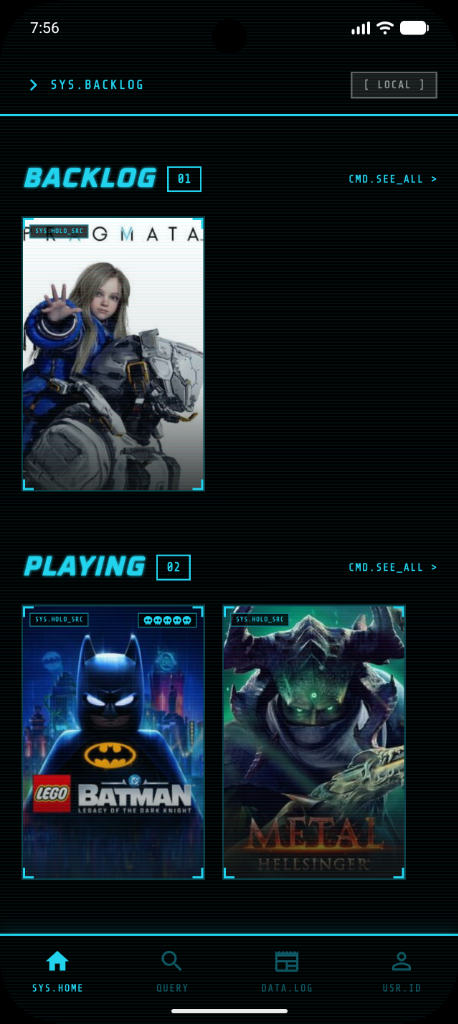
Organize games into statuses: Playing, Backlog, Completed, Abandoned, and Wishlist. Visualize completion rates with smooth neon indicators.
Securely link your Steam library. An isolated background system processes and popops your collection instantly without freezing the application interface.
Automatically download high-resolution cover arts, developer and publisher credits, gameplay summaries, screenshots, and official video trailers for your games.
Check estimated times for Main Story, Main + Extra, and Completionist. Perfectly plan your gameplay schedules before adding titles to your active rotation.
Compare prices between official stores and keyshops in real-time. Select your region (BRL, USD, EUR, GBP) and buy at the absolute lowest price.
Backup and synchronize your backlog data automatically. Your games, ratings, review notes, and logged playtimes are saved securely to the cloud for seamless access across all your devices.
Deploy the backlog controller directly to your mobile terminal. Run automatically on any Android device and synchronize with the cloud grid.